Recess Rooms are now available for classes
A while back, we launched Recess Rooms for chat channels. Rooms is an integrated video call experience on the Recess platform, allowing kids to spend time collaborating or play games in their own small groups.
Now, teachers can now choose to use Recess Rooms to host classes!
Rooms come with useful features for teachers too, like automatic session recordings, attendance tracking, whiteboard/media sharing, and other advanced moderation features.
Rooms will be the default hosting option for new offerings going forward.
Turning on Rooms for existing cohorts
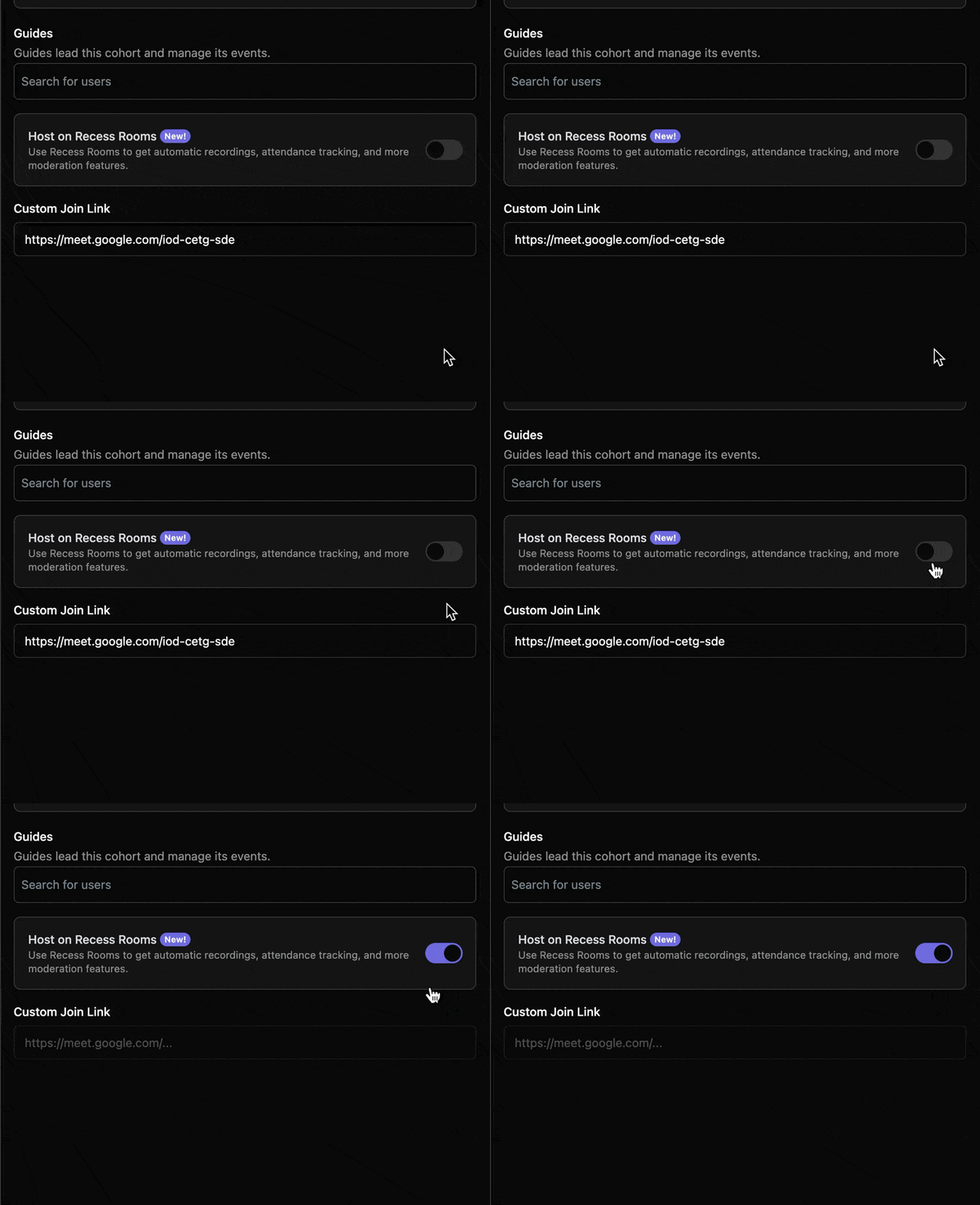
To enable Rooms for existing cohorts, go to the edit cohort page, and toggle on Host on Recess Rooms, then click Save. Your custom join link will be removed.
Joining classes hosted on Rooms
To join a class on Recess Rooms, click “Join Event” from either the schedule page or your course page during a scheduled session.
When the small window opens, grant it permissions for your camera and microphone, and drag it around or resize to your preference.

Access attendance & recordings
From the cohort admin view, click your course, then the cohort, then go to the Ended tab. Click on an ended event to see its data.
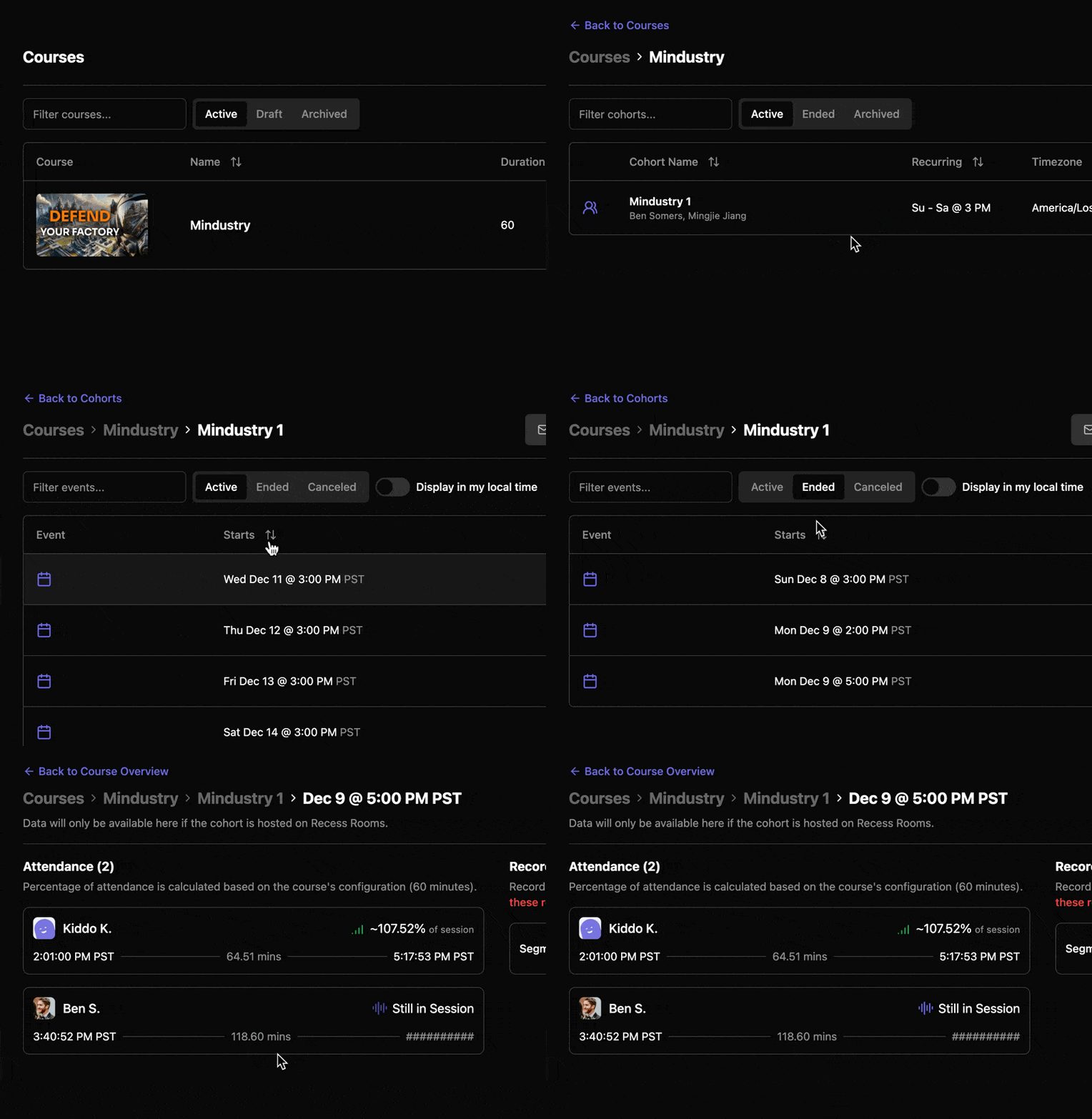
Attendance data and recordings will be made available shortly after each Rooms session ends (when everyone leaves).
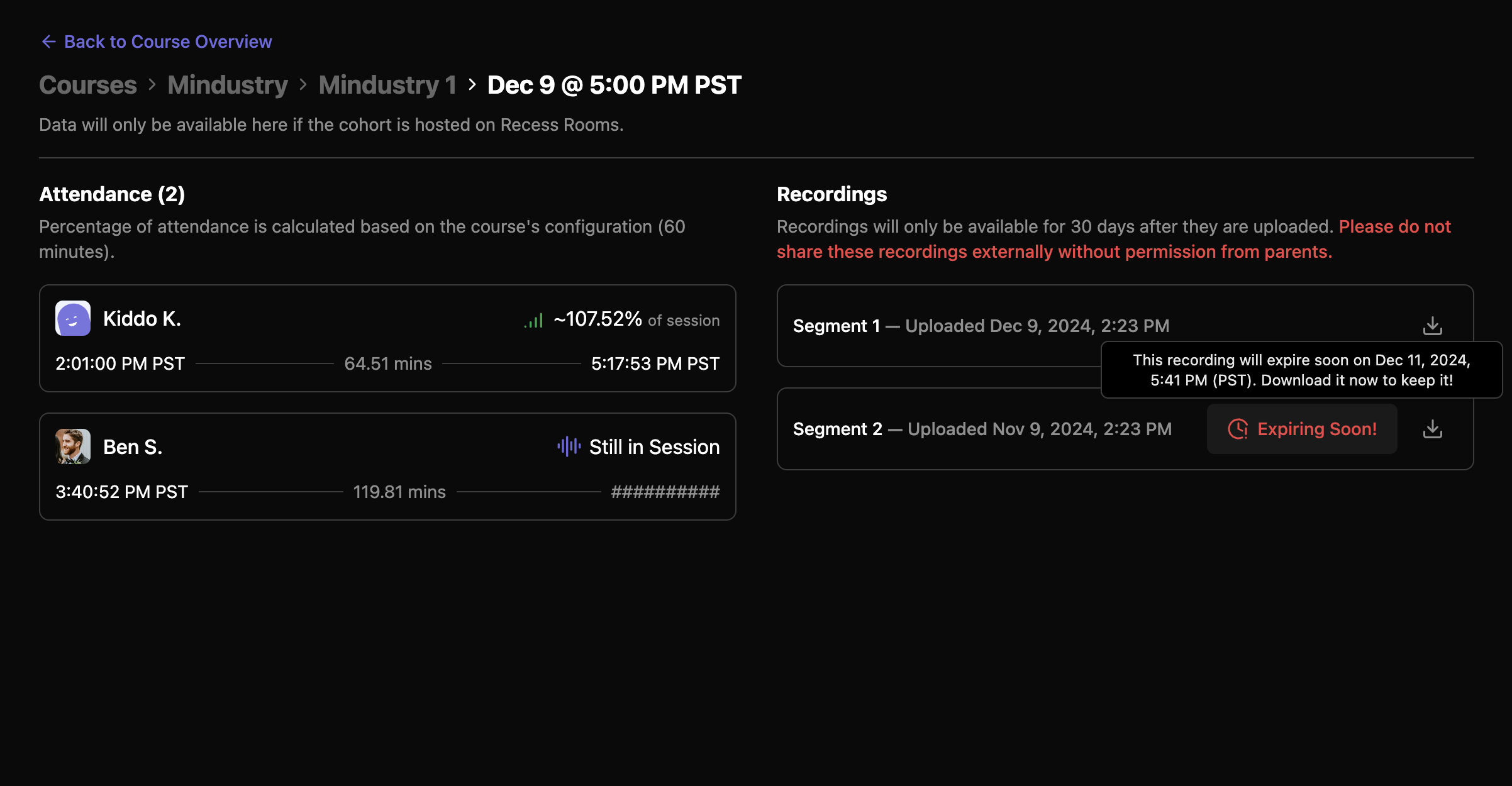
Recordings will be stored on Recess for 30 days before they are permanently removed. If you need to retain them for longer, please download them ahead of their expiration (and let us know why — we’re considering extending the availability period as well).
Due to privacy restrictions, please do not share session recordings outside of Recess without first gathering consent from parents.
Let us know what you think!
We hope you find these new tools useful! If you have any feedback, please let us know either by messaging us in Slack, or submitting a feature request.